---
title: How do I remove the N/A button of Pass/Fail fields?
description: Sometimes N/A is not an acceptable answer. Make that clear to operators by removing the N/A option in Weever's Pass/Fail field.
---
[Skip to content](https://support.weeversoftware.com/remove-na#main-content)
[Submit a Support Issue](https://support.weeversoftware.com/kb-tickets/new?hsLang=en)
[](http://weeversoftware.com/)
Open main navigation
Close main navigation
- [Submit a Support Issue](https://support.weeversoftware.com/kb-tickets/new)
How can we help you?
- There are no suggestions because the search field is empty.
1. [Weever Knowledge Base](https://support.weeversoftware.com/?hsLang=en)
2. [Weever Inspections](https://support.weeversoftware.com/weever-inspections?hsLang=en)
3. [Building Inspections](https://support.weeversoftware.com/weever-inspections?hsLang=en#building-inspections)
# How do I remove the N/A button of Pass/Fail fields?
## Sometimes N/A is not an acceptable answer. Make that clear to operators by removing the N/A option in Weever's Pass/Fail field.
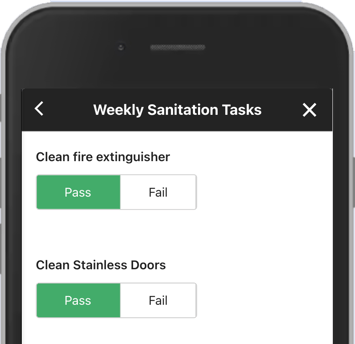
Easily hide the N/A option on Weever's Pass/Fail field by following these simple steps:
### STEP 1:
Edit the form you want to update in Form Builder

### STEP 2:
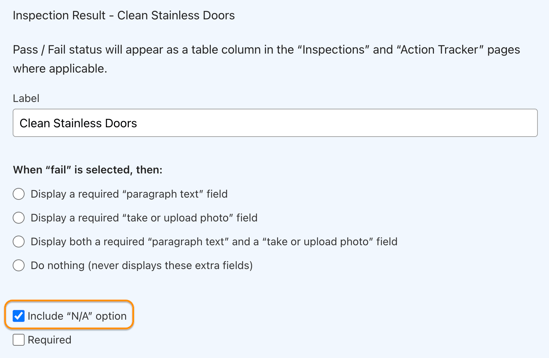
Click on the Pass/Fail field you want to edit
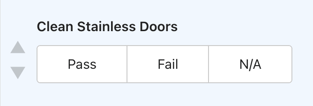
### STEP 3:
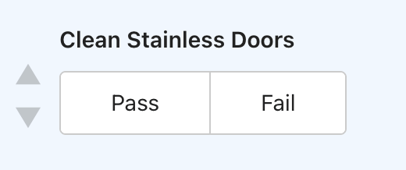
Uncheck the "Include N/A option" box
It should look like this:
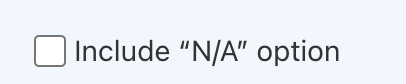
### And that it!
Now the N/A option of the Pass/Fail field will be removed from the form.
**💡 Tip: In some cases, it's worth keeping an N/A option available in your inspection form.**
- **Sometimes an inspection can't be carried out - for example, when equipment is unexpectedly down and the situation wasn't planned as downtime in the Running Schedule. Keeping an N/A option in your form gives operators a clean way to record this, marking the whole inspection as not applicable rather than leaving it incomplete.**
[](https://weeverapps.com)
Weever Knowledge Base
Copyright © 2026, Weever