---
title: How do I use icons in Weever?
description: Add icons to draw attention to your forms, make them easier to find or mark supervisor forms so that operators don't complete them by accident.
---
[Skip to content](https://support.weeversoftware.com/icons#main-content)
[Submit a Support Issue](https://support.weeversoftware.com/kb-tickets/new?hsLang=en)
[](http://weeversoftware.com/)
Open main navigation
Close main navigation
- [Submit a Support Issue](https://support.weeversoftware.com/kb-tickets/new)
How can we help you?
- There are no suggestions because the search field is empty.
1. [Weever Knowledge Base](https://support.weeversoftware.com/?hsLang=en)
2. [Weever Forms](https://support.weeversoftware.com/weever-forms?hsLang=en)
3. [Pro-Tips](https://support.weeversoftware.com/weever-forms?hsLang=en#pro-tips)
# How do I use icons in Weever?
## Add icons to draw attention to your forms, make them easier to find or mark supervisor forms so that operators don't complete them by accident.
#### [New to Weever? See how Weever helps manufacturers digitize and automate frontline operations →](https://weeversoftware.com)
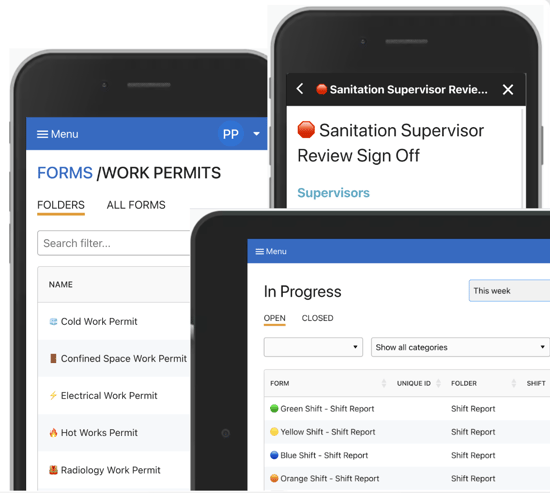
You can add icons to Form Names, Form Folders, Shifts and Assets (see above).
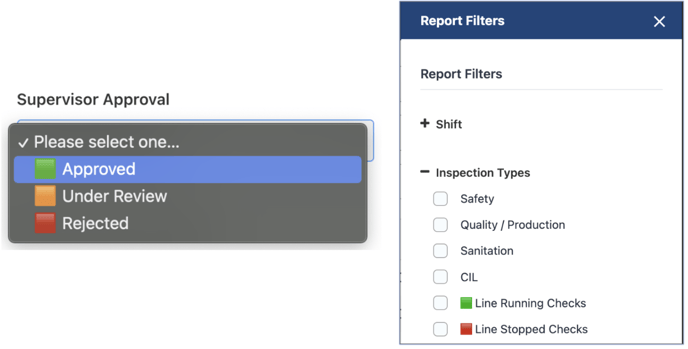
You can also add icons to Inspection Types or Form Fields -- this can be a useful way to mark statuses:
### Adding icons is easy!
#### To add icons on PC
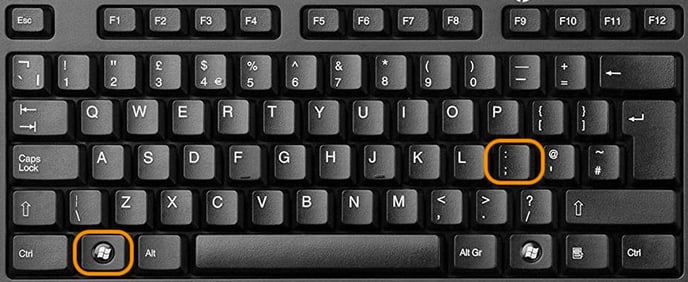
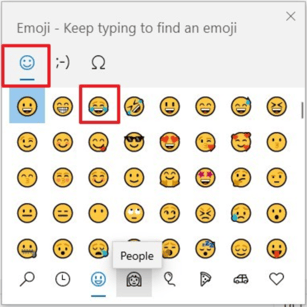
Hold down the Windows key and tap the semicolon key:
### To add icons on Mac
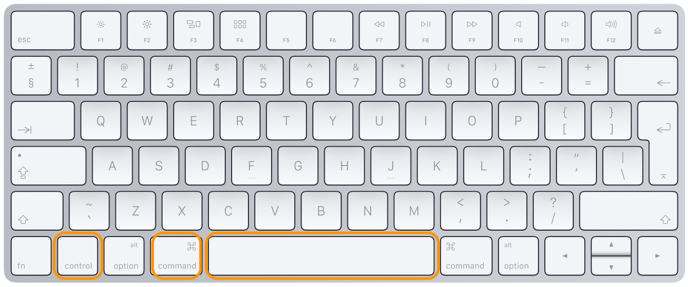
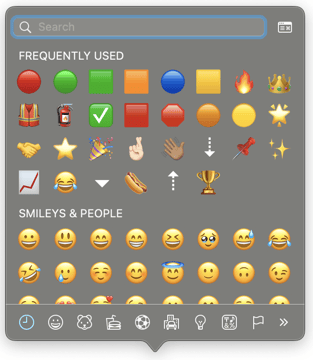
Hold Command, Control and Spacebar keys at the same time.
#### Interested in learning more about Weever? [Book a demo](https://weeversoftware.com/book-a-demo)
[](https://weeverapps.com)
Weever Knowledge Base
Copyright © 2026, Weever