
Finding your Weever Account URL
Weever is a browser-based application, so your organization, or facility, will have a Weever account that you can access by opening your internet browser and typing in the account's URL. All account URLs follow this naming convention:
account.weeverapps.com
The account name is the "subdomain" at weeverapps.com.
For example, if you work for a company called "apple", your account URL might be "apple.weeverapps.com".
Your manager should know the URL of your Weever account.
Logging in to your Weever Account
Once you have found your Weever account URL, use an internet browser to access the account. You can use virtually any browser to access your Weever account. For best results, consider using the following:
- Google Chrome
- Microsoft Edge
- Safari
If you're already a user ...
In some cases your account's Weever administrator will have already created a Weever user account for you. They do this by navigating to the User Management section and clicking "New User". When setting up your user account they will use a fake password.
To access your account for the first time, you will need to use the "Forgot Password" function.
- On your Weever account's home page, click "Login"
- In the Login modal that pops up, click on "Forgot your password?"
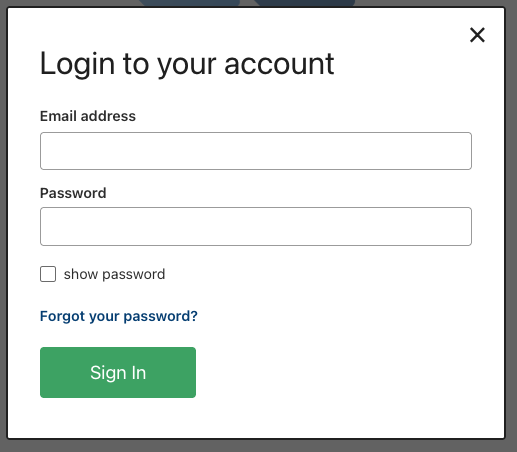
This will launch a new modal that will request your email address. If your email address corresponds with an account user, you will be sent an email with a link to update your password.
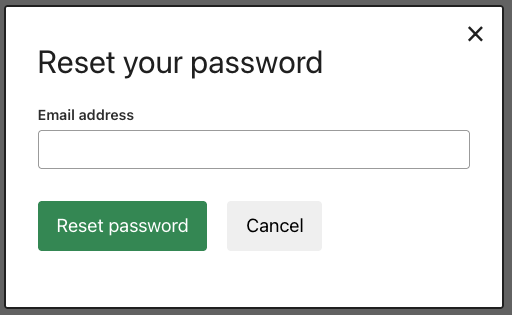
The below video provides an overview on how to complete this process.
If you are not a user...
If you are not a user, you will need to reach out to your sites Need Help? Contact at the bottom left of your home page to get added to the sites user list.
If you have a shared login ...
Some Weever accounts use shared logins for production staff. This is a username and password that all operators use to login in the facility.
In this case, you will need to request this login information from your site's Weever administrator to login.