---
title: How does the Form Reports page work?
description: See your submission data and generate CSV reports in Form Reports
---
[Skip to content](https://support.weeversoftware.com/form-reports#main-content)
[Submit a Support Issue](https://support.weeversoftware.com/kb-tickets/new?hsLang=en)
[](http://weeversoftware.com/)
Open main navigation
Close main navigation
- [Submit a Support Issue](https://support.weeversoftware.com/kb-tickets/new)
How can we help you?
- There are no suggestions because the search field is empty.
1. [Weever Knowledge Base](https://support.weeversoftware.com/?hsLang=en)
2. [Weever Forms](https://support.weeversoftware.com/weever-forms?hsLang=en)
3. [Form Reports](https://support.weeversoftware.com/weever-forms?hsLang=en#form-reports)
# How does the Form Reports page work?
## See your submission data and generate CSV reports in Form Reports
The Form Reports page stores all submissions for your forms, which is only available to **Administrators**. All form fields are displayed as a column so you can view the data in a table format.
- [Filter the submissions by date range and/or by search term](https://support.weeversoftware.com/form-reports#Filters)
- [View additional submission information](https://support.weeversoftware.com/form-reports#SubmissionInfo)
- [Export your data](https://support.weeversoftware.com/form-reports#ExportData)
- [Review the full submission](https://support.weeversoftware.com/form-reports#ReviewSubmissions)
- [Update ticket status](https://support.weeversoftware.com/form-reports#UpdateStatus)
- [Email, print, or download a PDF](https://support.weeversoftware.com/form-reports#PDFreport)
- [Filter page view](https://support.weeversoftware.com/form-reports#filter)
#### Filters
You can use filters to sort through all submissions for the ones you need.
Filter the data by:
Submission date using the quick filter or date pickers
** **
Search term

#### View additional submission information
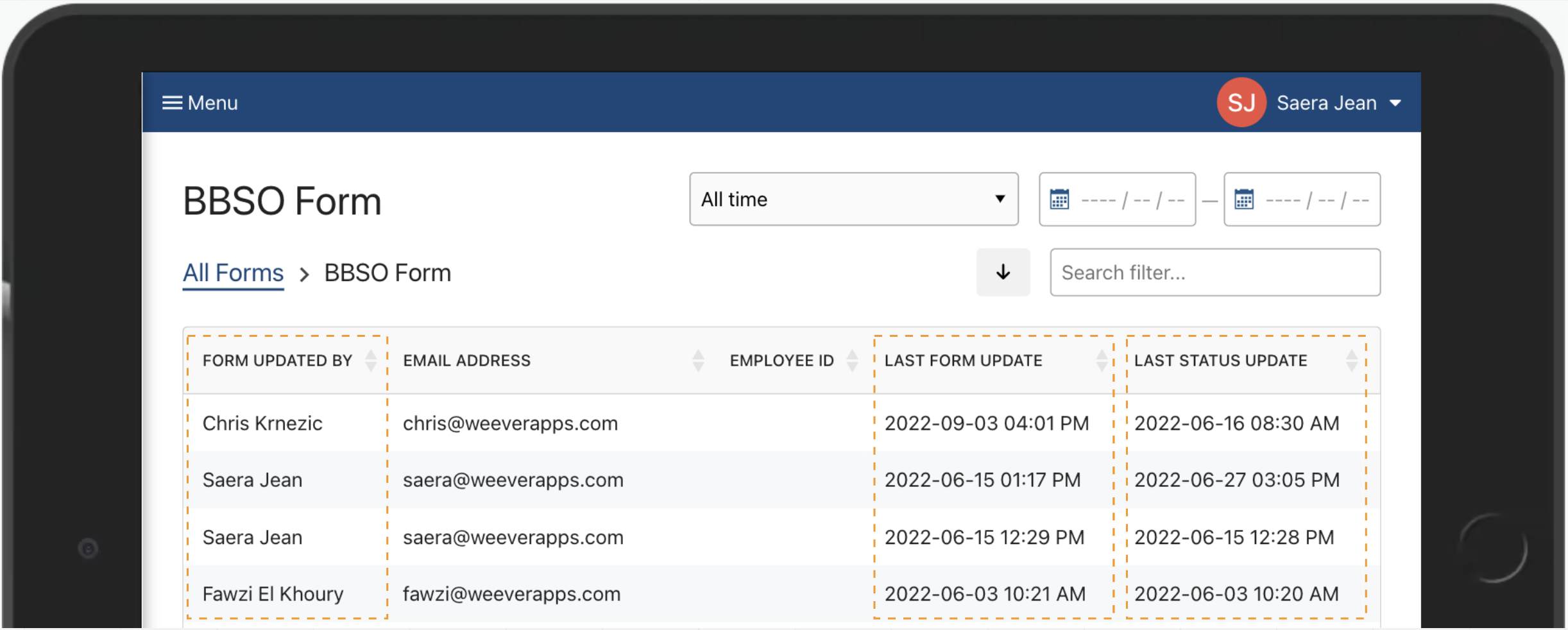
Scroll all the way to the right to see who was the last person to update a form or change the status, and who the original submitter is.
#### Export your data
Tap "Download All" to download a CSV of the filtered data.

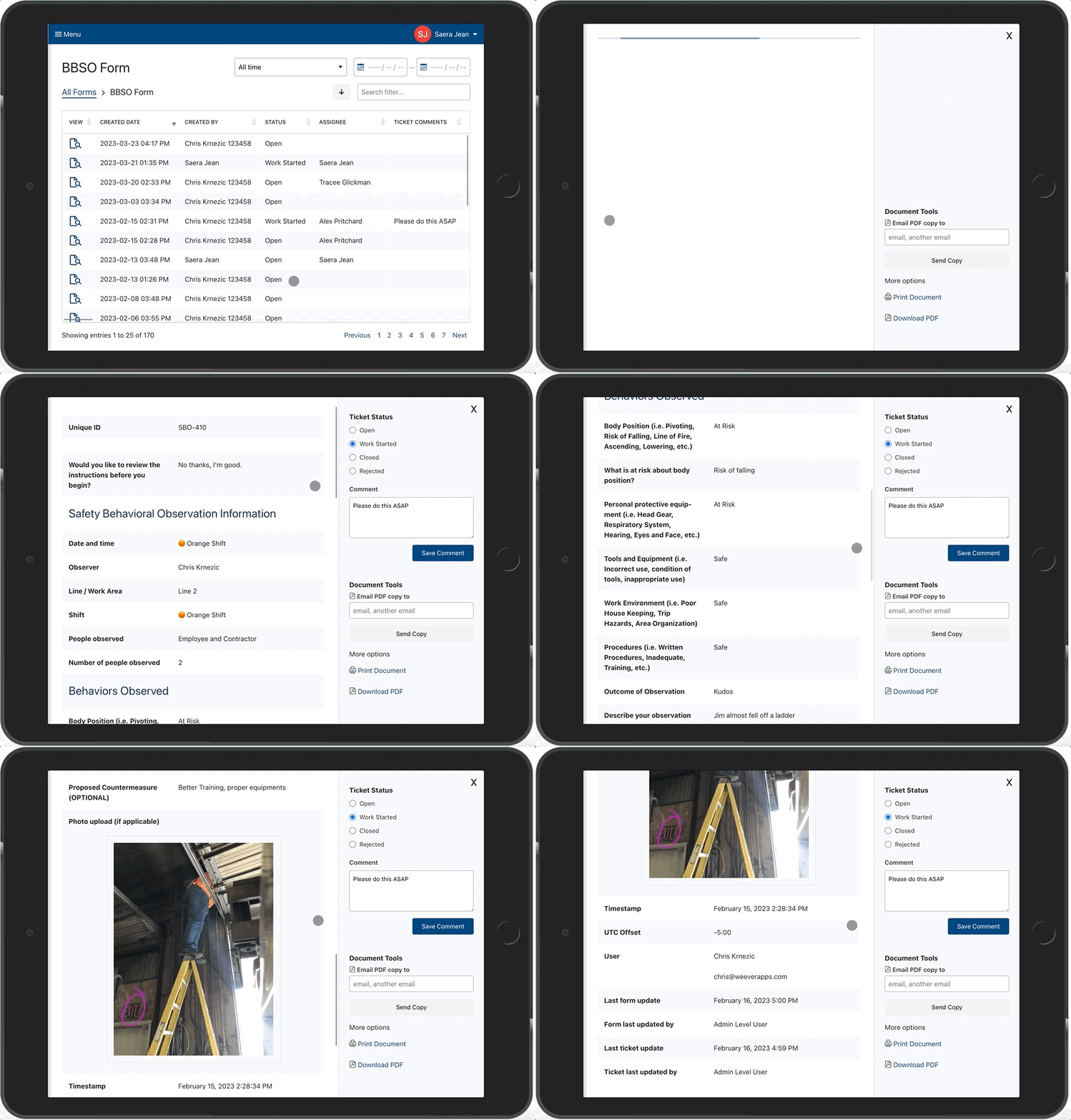
#### Reviewing the full submission
Tap  to view the full report for a specific submission.
#### Update ticket status
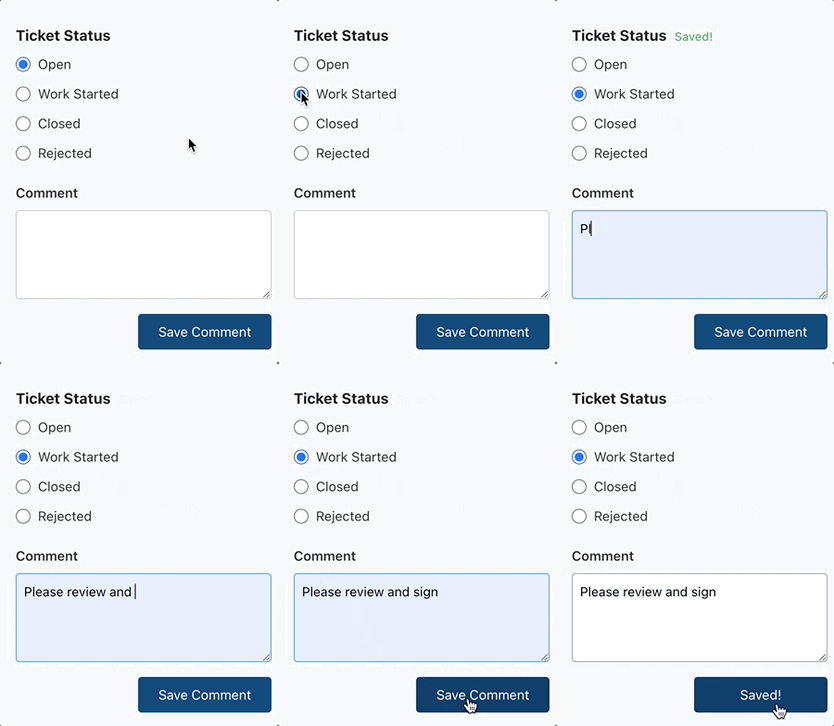
You can update the ticket status to keep everyone in the loop on what is being worked on and what work is done.
#### Email, print, or download a PDF
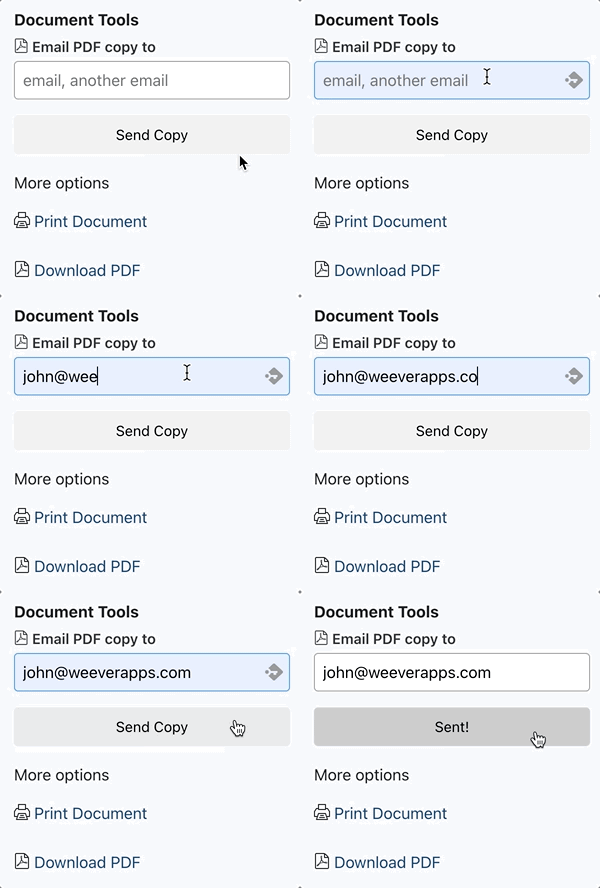
You can email, print, or download a PDF copy of the form submission report.
### 
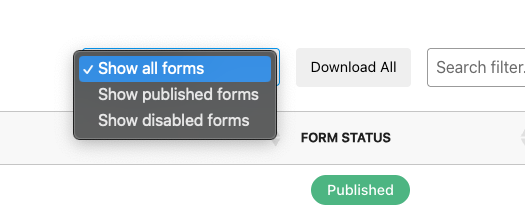
#### Filter by Published and Disabled Forms
Use this filter to separate your list by Published forms or Disabled forms. Or show them both.
[](https://weeverapps.com)
Weever Knowledge Base
Copyright © 2026, Weever