---
title: How can I award points to more than one user?
description: Use the bulk rewards tool to award points to groups of users
---
[Skip to content](https://support.weeversoftware.com/bulkrewards#main-content)
[Submit a Support Issue](https://support.weeversoftware.com/kb-tickets/new?hsLang=en)
[](http://weeversoftware.com/)
Open main navigation
Close main navigation
- [Submit a Support Issue](https://support.weeversoftware.com/kb-tickets/new)
How can we help you?
- There are no suggestions because the search field is empty.
1. [Weever Knowledge Base](https://support.weeversoftware.com/?hsLang=en)
2. [Weever Rewards](https://support.weeversoftware.com/weever-rewards?hsLang=en)
# How can I award points to more than one user?
## Use the bulk rewards tool to award points to groups of users
#### [New to Weever? See how Weever helps manufacturers digitize and automate frontline operations →](https://weeversoftware.com)
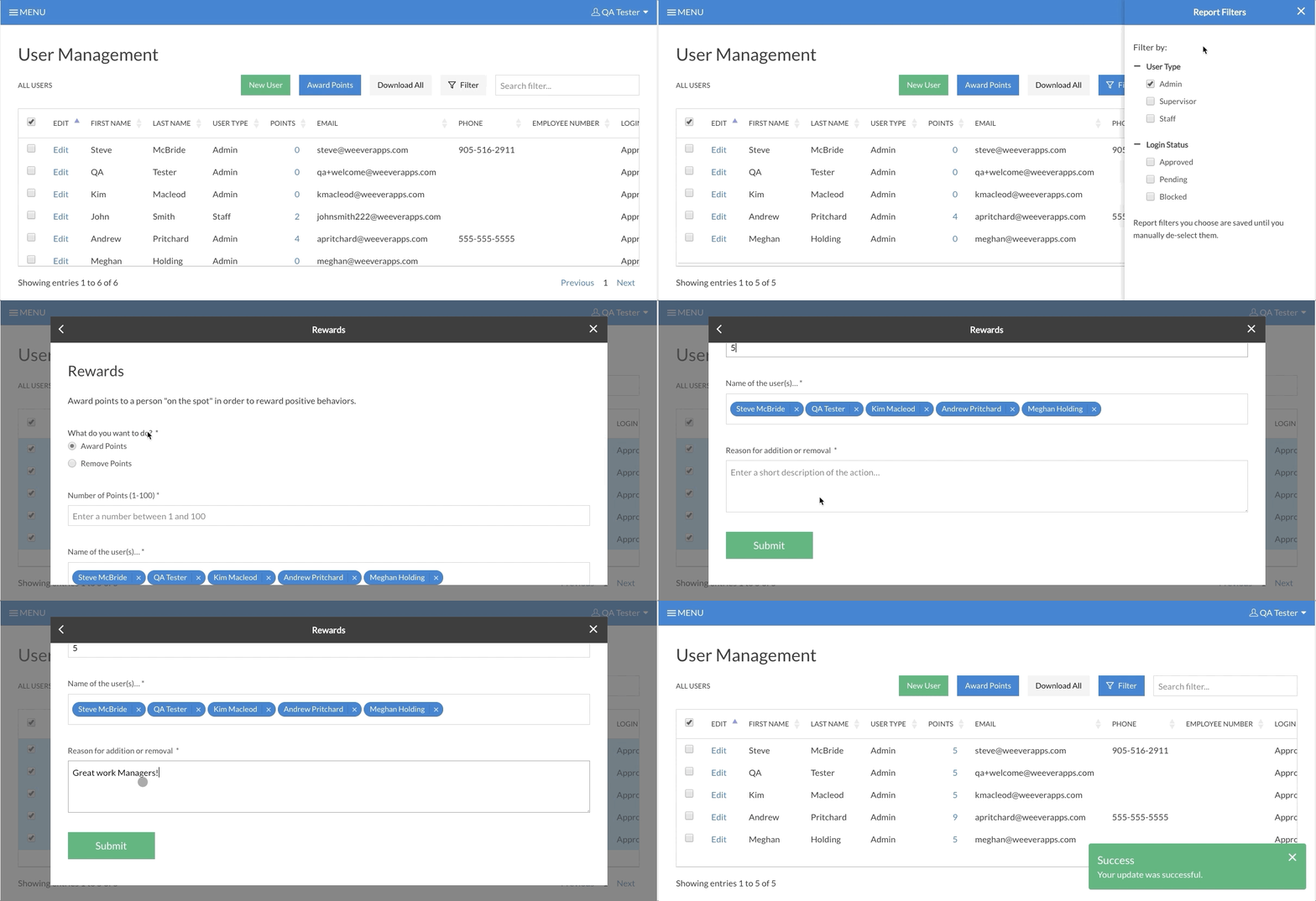
Easily award (or remove) points from a group of users using the bulk rewards tool in User Management. To use this tool, follow these simple steps:
[](https://support.weeversoftware.com/hubfs/Bulk%20Rewards.gif?hsLang=en)
#### STEP 1
In User Management, tap the new Filter button to filter your users (ie. just supervisors). 
#### STEP 2
Choose the employees you would like to award points to by checking the checkbox beside their name
#### STEP 3
Tap the Award Points button, fill out the form, and submit!
Your users will receive an email notification when you award or remove points.
**Tip!**
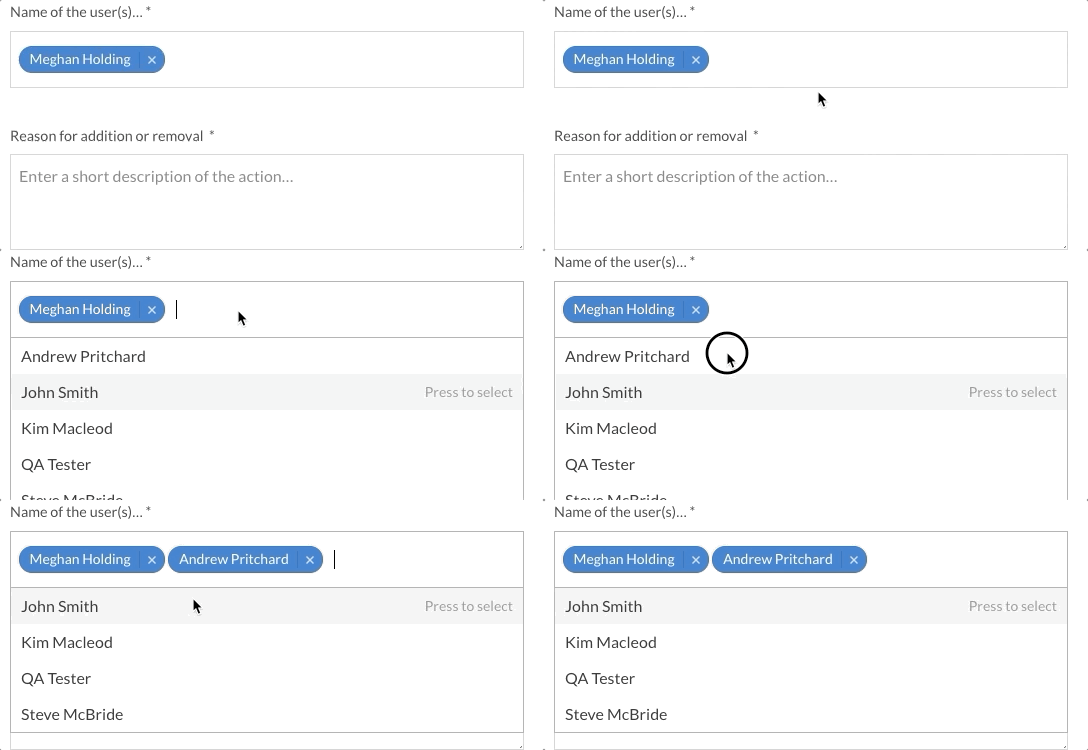
You can also add or remove users in the Award Points form.
#### Interested in learning more about Weever? [Book a demo](https://weeversoftware.com/book-a-demo)
[](https://weeverapps.com)
Weever Knowledge Base
Copyright © 2026, Weever