---
title: How do I unlock the full potential of Action Item Management?
description: Discover how to configure your form to quickly see Action Item descriptions right from the Action Tracker page!
---
[Skip to content](https://support.weeversoftware.com/action-item-management#main-content)
[Submit a Support Issue](https://support.weeversoftware.com/kb-tickets/new?hsLang=en)
[](http://weeversoftware.com/)
Open main navigation
Close main navigation
- [Submit a Support Issue](https://support.weeversoftware.com/kb-tickets/new)
How can we help you?
- There are no suggestions because the search field is empty.
1. [Weever Knowledge Base](https://support.weeversoftware.com/?hsLang=en)
2. [Weever Forms](https://support.weeversoftware.com/weever-forms?hsLang=en)
3. [Action Tracker & Workflows](https://support.weeversoftware.com/weever-forms?hsLang=en#action-tracker-workflows)
# How do I unlock the full potential of Action Item Management?
## Discover how to configure your form to quickly see Action Item descriptions right from the Action Tracker page!
#### **Use this guide to learn what to do:**
**[A. If you're working on the new form](https://support.weeversoftware.com/action-item-management#new-form)**
**[B. If you're already using a form with the Action Item field](https://support.weeversoftware.com/action-item-management#existing-form)**
### **Action Tracker Overview**
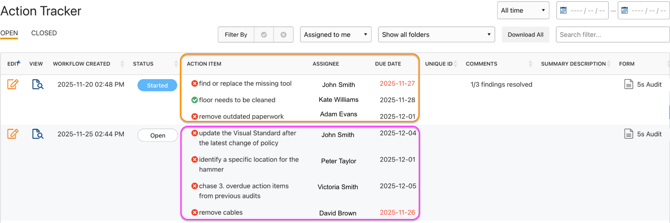
The new Action Tracker enhancement takes workflow management to the next level - ensuring every action moves swiftly to completion. Key details like assignees and action descriptions are now front and center, making it effortless to see ownership, context, and progress at a glance.
#### How do I achieve this?
#### **A.** **If you're working on the new form**
Make sure to use the **Action Item** field.
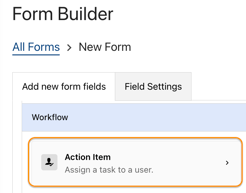
### **Action Item Field Overview**
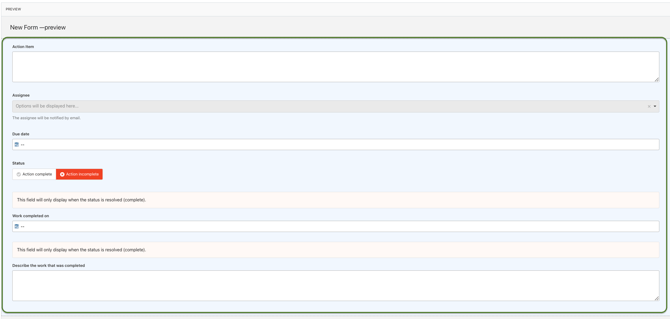
Enable the following fields:
- **Action Item** - Describes the work to be completed.
- **Assignee** - Allows you to assign a person to follow up. Don't forget to set who can assign people to their action items: *Staff only*, *Administrators only*, *Administrators and Supervisors*, or *All user types*.
- **Status** - Allows the assignee to set the current status of the issue.
- **Due date** - Allows you to specify a due date for each action item. Overdue action items will be displayed in red text in reports.
- **Work completed on** - Allows the assignee to enter the date the action item was resolved.
- **Describe the work that was completed** - Provides a detailed explanation of the work performed.
#### **B.** **If you're already using a form with the Action Item field**
Follow these steps to upgrade to the enhanced version:
1. Duplicate the existing form
2. Draft the old form
3. Replace the old Action Item field with the new one in the duplicated version
4. Re-schedule the form (if it’s an inspection)
5. Connect both the old and new forms to Power BI (if you have a live Power BI dashboard connected to it).
**Important:** This preserves historical submissions while allowing future data to use the new Action Item field.
### Assignee Anchors in Forms
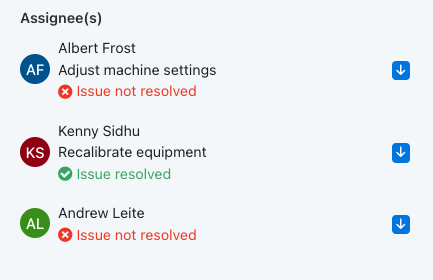
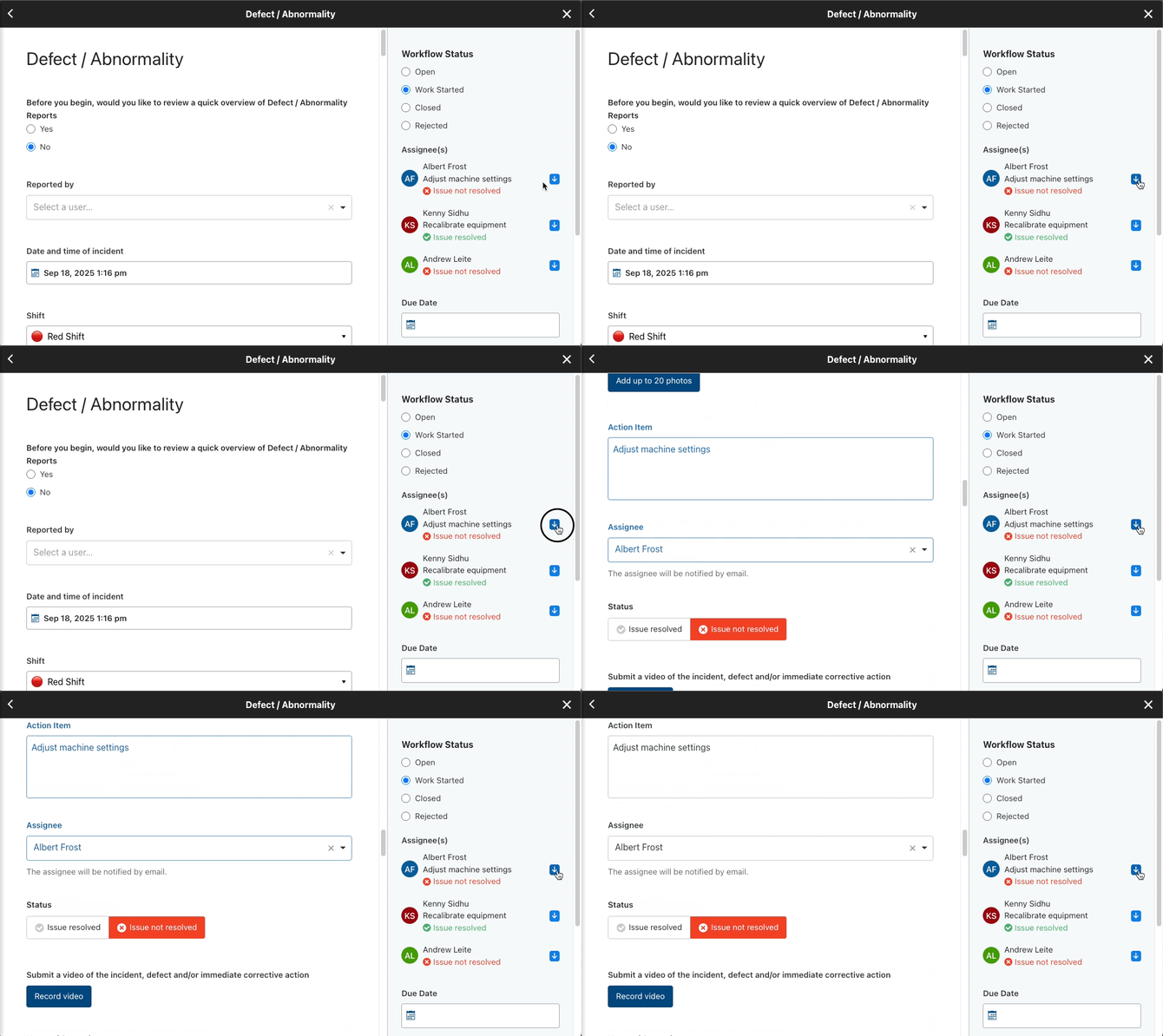
Your users can quickly jump directly to their action item directly in the Form on Weever.
When you are editing a form in the Action Tracker, located on the right hand side you will see anchors with the assignees name attached to them. Selecting the blue arrow anchor next to a users name will instantly bring you to that users specific action item in the form.
This helps with mitigating time scrolling through a form to find the exact spot to work on and allows your users to be focused and directed to only what needs to be done.
[](https://weeverapps.com)
Weever Knowledge Base
Copyright © 2026, Weever